
Have you ever wondered if your website is “working”? In this post, we explore how to measure your website success and some key metrics to track, so you know whether or not your website is functioning as a business tool.
Why Your Website Shouldn’t Just Be Pretty
Beautiful websites are common, and design should absolutely be a part of the equation when building a website for your firm. However, design is not the only factor to consider. It doesn’t matter how your website looks if no one finds it.
Your business’s website should function as a tool that attracts prospects and encourages them to make the next move—booking a consultation, joining your email list, etc.
That functionality comes from having strategy as the foundation. You can have a pretty website, of course, but you should also have a strong messaging, SEO, and conversion strategy in place to make it really put in the work.
Signs Your Website is Successful
Here are some signs that your website is working well for your practice.
New Content is Published Consistently.
Your website isn’t something that you (or a professional website designer) set up once and then never touch again. Publishing content consistently keeps Google happy, because it sees your website is up-to-date. It also helps search engines and AI tools continue to learn what your website is about, who it’s for, and when they should (or shouldn’t) send traffic to you.
The best way to consistently publish new content is through blog posts. SEO-optimized blog posts, like the ones we outline and write for our retainer clients, can drive organic traffic to your website.
Publishing a new blog at least monthly contributes to a successful website.
It’s Optimized for SEO and AI Search.
If you build it, they will not come. You must optimize it first.
Optimizing your website for SEO and AI search is something we do for all of our clients, and it’s part of the initial website foundations we build.
Part of optimizing for SEO and AI search looks like:
- Conducting keyword research to ensure the words (aka copywriting) is written using terms your prospects are actively searching for
- Adding meta titles and descriptions to each page
- Using the proper heading structure
- Writing alt text for each image
- Adding a custom LLMS.txt file for the website
- Combining human-written, storytelling copy with natural use of keywords
You Receive Less “Clarifying” Questions.
If you notice prospects are asking fewer questions before they book, your website is doing its job. Your messaging, blog posts, various website pages, and FAQs section should all help a prospect understand who you are, what you do, how you can help them, and the process of working with you.
If this information is clear and accessible, they shouldn’t have many questions once they inquire to work with you. Personally, my consult calls are more of a “vibe check” for both of us to confirm we’re the right fit to work together.
It’s Easy to Navigate as a First-time Visitor.
Outlining your clear conversion plan for your website is crucial. If a first-time visitor lands on your website, do they quickly learn how you can help them? Can they see which action to take next without looking too hard?
We often talk about the website 5 second rule, which basically means someone will click away if they can’t figure out whether or not you can help them within 5 seconds. If the navigation is confusing, messaging isn’t crystal clear, or the layout isn’t intuitive, a first-time visitor is likely going to close out the tab.

Booked Clients are Exactly Who You Enjoy Working With.
Are the clients you’re working with exactly who you envision helping? If so, your website is successfully doing its job, because it’s speaking to the right audience.
If not, you may want to revisit your messaging or book a Brand Strategy Session so we can tell your firm’s story and make sure you’re attracting the best-fit prospects.
The Prospect to Client Journey Happens Faster.
Part of the website strategy we build for clients is the conversion plan. What happens once a prospect lands on your website, and how do we move them to becoming a client?
A simple example of this is someone finds your website from Google, books a consultation, then signs and becomes a paid client after you meet.
When this journey from stranger to prospect to client happens quickly (sometimes seemingly automatically), it’s a sign your website is successfully doing its job.
Your Site Stands Out and Feels Like “You”.
It’s okay if your website doesn’t look like every other financial/legal/consulting firm out there. In fact, that’s the whole point.
You don’t want to blend in. Your website should represent what makes you different from every other firm in your industry, and it should feel like you, your team culture, and the mission and values your firm stands for.
Website KPIs to Track
Now that we’ve covered some signs your website is successful, let’s dive into tangible metrics you can track to examine your website’s performance over time.

Unique Website Visitors
This number represents an individual (or device) who visits your website during a specific time period. If someone visits your website multiple times in a month, they would only be counted once.
Average Time on Page
Once someone lands on your website, are they staying for a while? Going back to the website 5 second rule, grabbing attention is one thing—but keeping it is another. When someone is spending more time on your website, it shows that your messaging is clear and resonates with them.
Conversions
A conversion means someone is taking a specific action on your website. Some actions you want visitors to take may include booking a consultation or filling out a form to join your email list. Click here for a full blog post breaking down how to optimize your website for conversions.
Referral Source
Taking note of your website traffic from various referral sources gives you insight into where to spend your marketing time. Are website visitors coming from Google, ChatGPT, LinkedIn, or Instagram? If most of your website traffic comes from LinkedIn, that could be a sign that you should continue posting there consistently.
Bonus: Your Time!
While not a metric you can pull from a tracking tool, your time is also an important website KPI to consider. Are you spending less time answering questions via email or attending in-person networking events? This is something to evaluate as you continue to make your website a priority.
What To Listen for in Consultations as a Sign of Website Success:
Your consultation calls can give you a lot of insight about the success of your website content. Listen for versions of the following:
- “I’ve looked at all your service options and I think option B would be right for me.”
- “Pricing starts at $X,XXX right? I think I saw that on the site”
- “I really loved your website and just wanted to get on this call to make sure you are as great as the site made you seem and I’m excited to see you are! The site totally matches your vibe.”
- “I’ve been getting your emails the last week or so and…” (converted via newsletter sign up on site)
- I really loved your blog about XYZ
All of these are clues that your website is addressing your clients’ interests, needs, and questions.
Tools to Track Website Analytics
Set a reminder for yourself to track these website KPIs on a monthly basis. Here are a few tools you can utilize to do that.
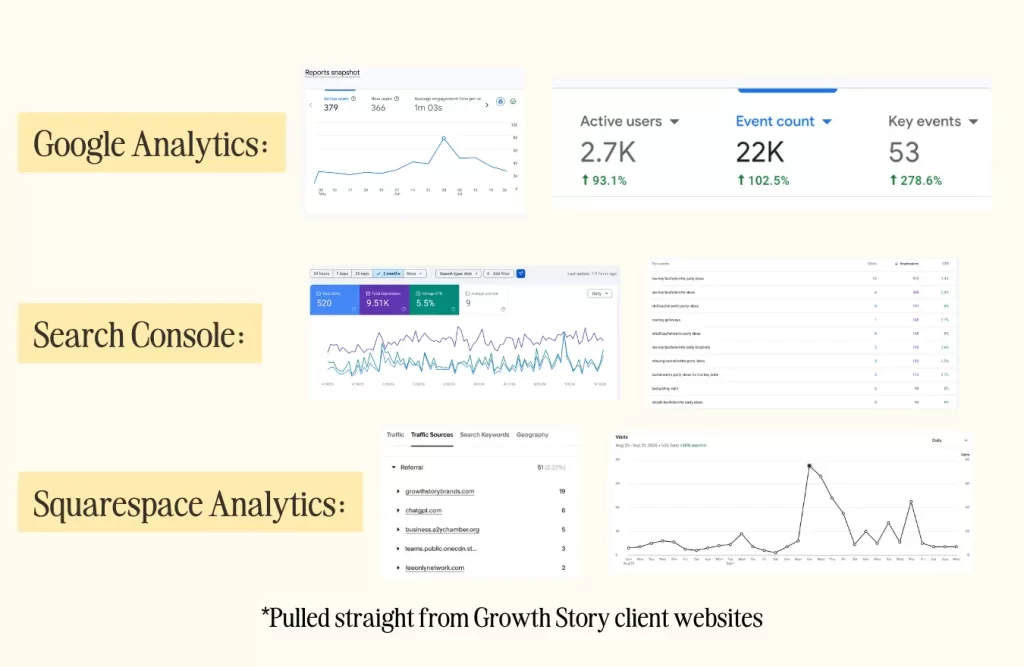
Google Analytics
Google Analytics is a free and powerful tool that captures all of this data (and much more) for your website. We highly recommend connecting your website to Google Analytics, so you can utilize its many features. Click here to learn how to set up Google Analytics.
Google Search Console
Google Search Console is another free tool that helps you track the effectiveness of your SEO efforts. It tells you how each page of your website ranks for various keywords and shows performance over time. Click here to learn how to connect your website to Google Search Console.
Squarespace Analytics
If the Google tools feel a little intimidating, you can stick to the Squarespace Analytics dashboard within your Squarespace account. While it doesn’t showcase as much data as the other tools mentioned above, it will help you see your website traffic over time, time on page, referral sources, and more. To access your Squarespace Analytics, login to your website and navigate to the Analytics tab.
Have a Website That’s Built to Convert
After reading this post, perhaps you’re thinking your website needs a rebuild, with strategy as the foundation. At Growth Story, we design websites for professional service providers that are both beautiful and built to convert prospects into paying clients. Click here to schedule a consultation with Allie, the founder of Growth Story, to get started on your project.
FAQs about Measuring Website Success and KPIs
Website performance metrics help you assess whether or not your website functions as a business tool. Some common website KPIs to track include unique website visitors, average time on page, conversions, and the referral source.
The best way to measure website success is paying attention to various signs and KPIs. Notice if prospects are booking quickly after finding your website. Assess if you’re receiving fewer clarification questions. Take note if people make positive comments about your website or its content. You can also track your website KPIs inside of a tool, such as Google Analytics.
Google Analytics is the best free tool to track your website data. You can also use Google Search Console to assess how your website performs and shows up on search engines. Another less powerful but easy-to-use tool is Squarespace Analytics, located right inside your Squarespace Website account.